Tattoo Maker
HOTSALES GLOBAL TRADE LLCArt & Design
3.727.00 Reviews
- Version
- Version 1.0.5
- Installs
- 10.00K
- Age Rating
- Everyone
Screenshots
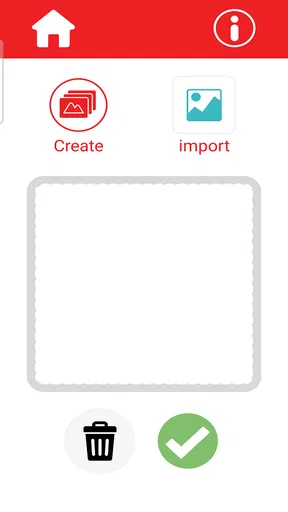
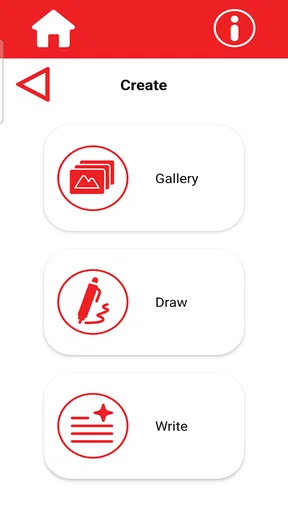
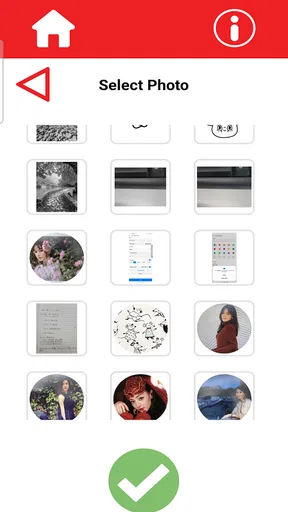
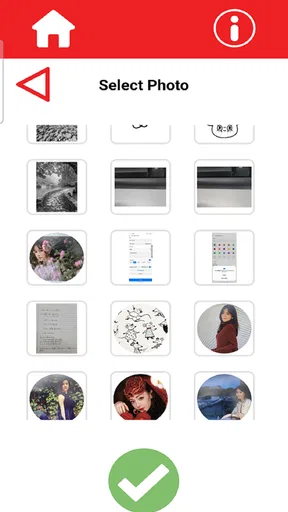
Our Review of Tattoo Maker
 Analysis by Appyee
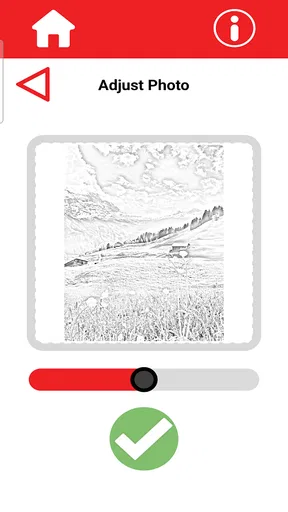
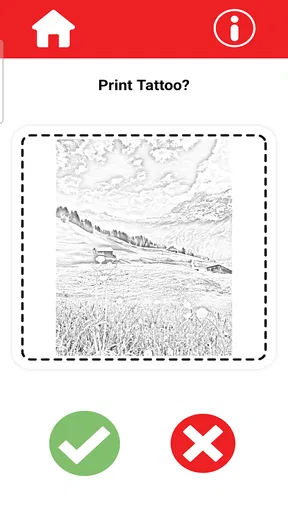
If you are curious about trying a tattoo design at home before committing to ink, Tattoo Maker is the kind of small, focused art app I would test first. I approached it as a practical design tool rather than a replacement for a professional tattoo artist. Its central idea is simple: create a personal tattoo concept, prepare it for printing, and use that printed result as a temporary visual reference. That makes it useful for early decisions, especially when you are still unsure about the size, placement, or general look you want.
My first impression is that the app is aimed at people who want a quick creative starting point without opening a full illustration suite. It belongs to the Art & Design category, is free to use, and carries an Everyone age rating. The developer is HOTSALES GLOBAL TRADE LLC. Those details make the app approachable for casual experimentation, although the modest average rating of 3.7 from around 56 ratings suggests that expectations should remain realistic rather than treating it as a polished professional studio.
What to consider before choosing Tattoo Maker
The most important question is not whether you can make something attractive in a few minutes. It is whether the app fits the stage of your tattoo process. If you already have a finished drawing and need advanced vector editing, layered composition, or precise preparation for a tattoo artist, a dedicated illustration app will probably serve you better. If you want to explore an idea, print it, and see how it feels on your body before making a permanent decision, this app has a much clearer purpose.
I would also separate three different goals that people often mix together. The first is brainstorming: collecting shapes, motifs, and arrangements until an idea begins to feel personal. The second is presentation: producing a clean enough concept to show another person. The third is tattoo production: creating artwork that a professional can safely adapt for skin. Tattoo Maker is most convincing for the first two. The final step still belongs to an experienced tattoo artist, who can account for body movement, skin, line weight, aging, and placement.
Because the app is free, the barrier to trying it is low. It supports devices running Android 8.0 or later, and its current release is version 1.0.5. That broad compatibility is useful if you are working from an older phone, but I would still judge the experience on the device you actually plan to use. Designing on a small screen can make tiny details difficult to inspect, particularly when you are trying to decide whether a symbol will remain readable after printing.
A realistic everyday use case would be someone preparing for a consultation. Imagine that I want a small botanical tattoo on my forearm, but I cannot decide between a compact emblem and a longer arrangement. I can use the app to create both directions, print each one, and place the paper on my arm under normal clothing and lighting. That does not tell me exactly how the finished tattoo will age, but it can reveal whether the design feels too busy, too large, or awkward when my arm is relaxed.
Start with placement, not decoration
One of the most useful habits is to decide the intended body area before spending time polishing the design. A motif that looks balanced in the middle of a phone screen may feel stretched on a wrist, crowded near an ankle, or visually lost on a shoulder. I recommend making a rough version first, printing it, and checking it from a normal conversational distance. This exposes proportion problems earlier than repeatedly zooming in on the phone.
Printing also changes how I evaluate the artwork. On-screen brightness can make a design seem more striking than it will appear on paper. Fine gaps may disappear, pale elements may become hard to see, and a composition that looked centered may show its imbalance once it has physical edges. The app’s print-at-home focus is therefore more useful than it first sounds: it encourages a physical review instead of leaving the idea trapped on a display.
Use the app as a concept board
I would not rush directly toward a final tattoo. A better workflow is to make several deliberately different versions. For example, create one with fewer elements, one with stronger visual weight, and one that keeps the central symbol but changes the surrounding arrangement. Comparing these printed drafts helps identify what you actually like. Often the most important discovery is not a hidden tool but the realization that a design needs less detail.
This is also where the app can help people who struggle to explain an idea verbally. Showing a tattoo artist two or three physical concepts is more useful than saying that you want something “minimal but detailed.” Even an imperfect draft communicates scale, direction, density, and the relationship between the main shape and its supporting elements. I see that as one of the strongest practical reasons to use it.
Where Tattoo Maker works best
The strongest part of Tattoo Maker is the short path from an idea to a printable reference. Many creative apps are built around endless editing, which can be helpful but can also make a simple project feel unnecessarily complicated. This tool’s focused identity makes sense for a user who wants to explore tattoo concepts without learning a complete digital art workflow first.
It is especially suitable for first-time tattoo planning. A beginner may not know how to describe a preferred shape, how large a design should be, or whether a particular arrangement will look natural on the body. Creating and printing a concept gives that person something concrete to react to. I would treat the result as a conversation starter, not as a file that must be copied exactly.
The app also fits casual creative sessions. If I am waiting for an appointment or relaxing at home, I can work through an idea without setting up a drawing tablet or opening a desktop program. That convenience matters because tattoo concepts often begin as vague thoughts rather than formal art projects. A tool that feels easy to open is more likely to be used during that early stage.
Another advantage is the physical decision loop. Designing, printing, placing, and revising is more informative than staring at a single digital mock-up. I recommend printing at least one version at the approximate intended size, then checking it while standing, sitting, and moving naturally. A design can look excellent when viewed straight on but feel poorly oriented when the body changes position.
Three practical techniques that improve the result
First, keep a small naming system for your drafts. Instead of saving everything as a vague final version, label concepts by their purpose, such as “small,” “open,” or “bold.” This makes comparison easier and prevents the common mistake of editing one promising idea until its original character disappears. The app becomes more useful when you treat each draft as a separate design decision.
Second, test negative space deliberately. Tattoo beginners often add detail whenever an area feels empty, but empty space can be what keeps a design legible. Print one version with the surrounding elements close together and another with noticeably more breathing room. Holding both at arm’s length will usually make the better balance obvious. This is a valuable trade-off because a design that looks richer on the screen may become muddy when reduced to a small printed size.
Third, use the printout to check orientation. Place the design where you expect it to go and take a few ordinary movements: bend the wrist, turn the arm, sit down, or walk around. Ask whether the main element still faces the direction you intended. This is a more advanced check than simply asking whether the image looks attractive, and it can prevent a technically nice concept from feeling wrong on the body.
For a person who wants a quick visual experiment, these habits make the app more valuable than its simple store summary suggests. They turn it into a lightweight planning process: draft, print, inspect, revise, and then discuss the idea with a professional.
What the rating and audience suggest
The app has passed the early adoption stage with over 10 thousand installs, but its audience is still relatively small. I interpret that as a reason to approach it as a focused utility rather than a mature creative platform with a large ecosystem around it. The average rating of 3.7 is neither a warning to avoid it automatically nor a reason to assume every workflow will feel smooth.
For me, that rating reinforces a sensible approach: try it for a small concept before building an important project around it. Since it is free, the cost of testing is mainly your time. If the editing experience feels comfortable on your phone and the printed output matches what you need, it may be enough for personal planning. If you immediately run into limits, you have not invested money in a subscription or rebuilt a large project inside it.
Where another type of app may fit better
Tattoo Maker is not the right choice for every design problem. A full drawing application is a better fit when you need multiple layers, detailed brush control, sophisticated selections, or extensive cleanup. Those tools usually demand more learning, but they are preferable when the artwork itself is the main project rather than a quick tattoo concept.
A vector design tool may suit you better when clean geometric lines and exact scaling are essential. Vector workflows are useful for logos, lettering, and repeatable shapes because they make resizing and alignment easier to control. I would choose that route for a highly structured design that needs careful refinement before a professional artist adapts it.
There is also a difference between designing a tattoo and previewing a tattoo on the body. A body-mockup or augmented-reality app may be more helpful if your biggest question is placement rather than artwork. Tattoo Maker’s print-based approach is tangible, but it requires you to print and position the result yourself. That extra step is a strength for people who like physical testing and a weakness for people who want instant digital previews.
Someone looking for a large collection of ready-made inspiration may also prefer a browsing-focused platform. Tattoo Maker makes more sense when you want to create or arrange an idea yourself. It is less compelling if you only want to scroll through finished styles and select one with minimal editing.
The trade-off is straightforward. This app reduces complexity, but reduced complexity can also mean fewer options for advanced control. I would rather use a simple tool that gets me to a useful draft quickly than fight a complicated interface for a casual idea. For a final, highly personal design, however, I would expect to move the concept into a more capable workflow or work directly with a tattoo artist.
What happens when you switch tools
The cost of switching away from Tattoo Maker is mostly workflow friction. If you have only made a few rough concepts, moving to another app is easy. You can recreate the basic idea elsewhere or show the printed drafts to an artist. The situation changes if you have invested a lot of time refining a design and then discover that you need controls the app does not provide.
To reduce that risk, I would keep the original concept simple until I know the direction is right. Print the versions that matter, save personal notes about size and placement, and avoid treating the first attractive result as finished artwork. This approach protects the creative decision even if you later move to a different tool.
There is also a human cost to switching. A professional tattoo artist may reinterpret the design for technical reasons, and that is not necessarily a failure of the app. Skin is not paper, and a tattoo must work with the body rather than only with a flat page. The best use of a printed concept is to communicate what must stay and what can change.
Who should use it and who should skip it
I would recommend Tattoo Maker to a first-time tattoo planner, a casual designer, or anyone who wants to test a personal symbol before arranging a consultation. It is also a good match for someone who thinks better with physical examples. Printing a concept can answer questions that a screen cannot, particularly around scale, visual weight, and whether the design feels natural in a chosen location.
I would be more cautious if you are a professional illustrator, a lettering specialist, or someone preparing production-ready artwork. You may find the app too narrow for detailed editing and too dependent on a simple print workflow. In those cases, a dedicated illustration or vector application is likely the better starting point, with the tattoo artist handling the final technical adaptation.
I would also skip it if you do not want to print anything. The app’s most distinctive benefit is tied to taking the design off the screen. Without that step, you may be using it as a basic idea generator while missing the part that makes it particularly practical.
Questions I would ask before committing
If you are wondering whether the result is ready to tattoo, my answer is no—not by itself. I would show the concept to a qualified tattoo artist and let that person assess line thickness, placement, scale, and long-term readability. The app can help you express the idea, but it cannot replace the artist’s judgment about working on skin.
If you are wondering whether it is suitable for children, the Everyone rating makes it broadly accessible as an app, but tattoo decisions still require adult judgment and professional guidance. The age label describes the software’s content suitability, not whether getting a tattoo is appropriate for a particular person.
If you are concerned about using an older phone, Android 8.0 is the stated minimum operating system. That gives the app a reasonable compatibility range, although the comfort of designing will still depend on screen size, responsiveness, and how easily you can inspect small details on your specific device.
If you are deciding between this and a more advanced art app, ask yourself whether you need creative freedom or a quick planning loop. Choose Tattoo Maker when the priority is making a printable tattoo concept without a steep learning curve. Choose the advanced alternative when you already know the design direction and need precise control over every visual component.
Finally, if you are unsure whether the free price hides a major commitment, the basic decision is simple: you can test the app without paying for access. I would still avoid planning an important tattoo around one untested tool. Make a small sample first, print it, and see whether the workflow feels natural before investing serious time.
My recommendation
After using Tattoo Maker as a decision tool rather than judging it like a professional art suite, I find its purpose clear and useful. It helps turn a loose tattoo idea into something visible and physical, which is exactly the stage where many people need help. The free access, Everyone rating, and support for Android 8.0 or later make it easy to try, while version 1.0.5 shows that the app is still a relatively early product.
My recommendation is positive for casual tattoo planning, especially if you are willing to print drafts and inspect them in the real location where the tattoo might go. I would not recommend relying on it alone for final artwork, intricate illustration, or technical tattoo preparation. In those situations, use it as a starting point and move to a professional artist or more capable design workflow when the concept becomes serious.
Use it to make a decision, not to skip the decision-making process. That distinction captures the app’s real value. It can help you discover what you want, communicate that idea more clearly, and avoid committing to a design that only looked good on a phone screen. For a free, focused Art & Design app from HOTSALES GLOBAL TRADE LLC, that is a worthwhile role, provided you understand where its convenience ends and professional tattoo expertise begins.
Verdict
Strengths of Tattoo Maker
- Simple tools make it easy for beginners to create tattoo designs.
- Offers a fun way to preview ideas before visiting a tattoo artist.
- Quick editing makes experimenting with different styles convenient.
- Useful for collecting and comparing multiple tattoo concepts.
- Lightweight design is generally easy to navigate on mobile devices.
Limitations of Tattoo Maker
- Results may look less realistic than a professional tattoo preview.
- Some designs or features may require in-app purchases.
- The app may not offer enough advanced tools for experienced artists.
- Created designs may have limited export or sharing options.
- Tattoo previews cannot fully represent how ink will look on real skin.
Similar Picks in This Category
View All
Canva: AI Photo & Video Editor
Canva4.8

PENUP – Drawing-sharing SNS
Samsung Electronics Co., Ltd.4.5

Crafto
Kutumb App4.6

Sketchbook
Sketchbook4.1

ibis Paint X
ibis inc.4.5

Adobe Express: AI Photo, Video
Adobe4.6
Frequently Asked Questions
What is Tattoo Maker and what can I do with it?
Tattoo Maker is a creative design app that lets you experiment with tattoo ideas directly on your mobile device. You can create or customize tattoo-style artwork, try different patterns, adjust colors and placement, and preview how a design may look before making a final decision. It is useful for inspiration, personal projects, and sharing concepts with friends or a tattoo artist.
Is Tattoo Maker suitable for beginners without drawing experience?
Yes, Tattoo Maker is generally designed to be accessible to beginners. You do not need advanced drawing skills to start creating designs, because the app provides ready-made elements, templates, editing tools, and simple controls. Users can combine existing artwork, modify its appearance, and gradually explore more creative features without needing professional graphic-design or tattooing experience.
Can I use Tattoo Maker to preview a tattoo on my body?
Tattoo Maker may allow you to visualize tattoo concepts, but the exact preview options depend on the version and device you use. Some features can help position a design over a photo or create a basic mock-up, while others focus mainly on drawing and editing. Treat any preview as an approximation, since real skin, body shape, lighting, and tattoo size can look different.
Does Tattoo Maker create real tattoos or replace a professional tattoo artist?
No. Tattoo Maker is a design and visualization tool, not a tattooing device or professional tattoo service. It cannot apply ink to your skin, guarantee how a design will heal, or determine whether an idea is technically safe to tattoo. Before using any design permanently, discuss its size, placement, detail, and suitability with a qualified and reputable tattoo artist.
Is Tattoo Maker free to download, and are there advertisements or in-app purchases?
The availability of free features, advertisements, and optional purchases can vary according to the platform, region, and app version. You should check the Google Play Store or Apple App Store listing before downloading to review the current pricing details. Some designs or advanced tools may require payment, while the free version may include advertising or limited customization options.
